A motherboard battery typically lasts between 3 and 5 years, depending on usage, temperature, and system quality. In stable environments, it may last even longer.
The most common type is the CR2032 lithium coin cell battery, designed for long-term low-power support of BIOS memory.
Modern motherboard design and PCB efficiency also influence battery performance. You can explore how circuit systems are structured through detailed PCB engineering insights found in motherboard PCB manufacturing guides from leading UK electronics specialists.
Because the CMOS battery only powers BIOS memory when the system is off, it experiences very low daily usage, which is why it lasts several years.
What Affects How Long a Motherboard Battery Lasts?
Several factors influence how long a motherboard battery lasts.
High internal temperature is the most common reason for faster battery drain. Poor airflow inside the PC case, dust buildup, and unstable power supply units can also reduce lifespan.
Frequent power cuts or improper shutdowns force BIOS to reset more often, which increases CMOS battery usage over time.
Stable system configuration and proper hardware design, as explained in advanced BIOS system documentation and motherboard support resources from leading processor manufacturers, help maintain long-term battery efficiency.
Signs Your Motherboard Battery Is Failing
When the CMOS battery begins to fail, your system will show clear symptoms.
The most common sign is an incorrect date and time after every restart. BIOS settings may also reset to default values without warning. Some users may experience CMOS checksum errors during startup.
Slow boot processes and repeated hardware detection are also strong indicators that the motherboard battery is weak and needs replacement.
How to Replace a Motherboard Battery
Replacing a motherboard battery is simple and takes only a few minutes.
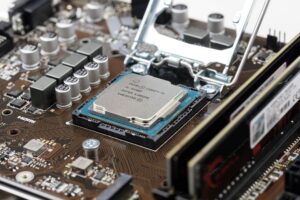
Turn off your PC completely and disconnect it from power. Open the case and locate the round CR2032 battery on the motherboard. Carefully remove it and insert a new one in the same position.
After replacement, restart the system and adjust BIOS settings if required. Proper installation ensures stable system performance and restores correct configuration instantly.
For safe handling and step-by-step replacement guidance, trusted computer hardware repair tutorials and CMOS replacement guides from professional tech support resources provide additional technical assistance.
How to Extend Motherboard Battery Life
A motherboard battery lasts longer when your system is properly maintained.
Keep your PC in a cool, well-ventilated environment to reduce heat stress. Avoid frequent forced shutdowns and always power off the system correctly.
Using stable power protection such as a UPS helps reduce BIOS resets caused by electricity fluctuations. Regular cleaning also improves airflow and reduces hardware strain, helping extend overall battery lifespan.
Why the Motherboard Battery Is Important
The motherboard battery plays a vital role in system stability.
It ensures BIOS settings remain saved when the PC is off, maintains accurate system time, and supports proper hardware detection during startup. Without it, the system would reset important configuration data every time power is lost.
Although small, it is essential for reliable computer operation.